> ## Documentation Index
> Fetch the complete documentation index at: https://docs.rayinai.com/llms.txt
> Use this file to discover all available pages before exploring further.

# 注册账号

> 如何注册账号

## 注册步骤

<Steps>
  <Step title="访问注册页面">
    浏览器访问注册页面 [https://code.rayinai.com/register](https://code.rayinai.com/register)
  </Step>

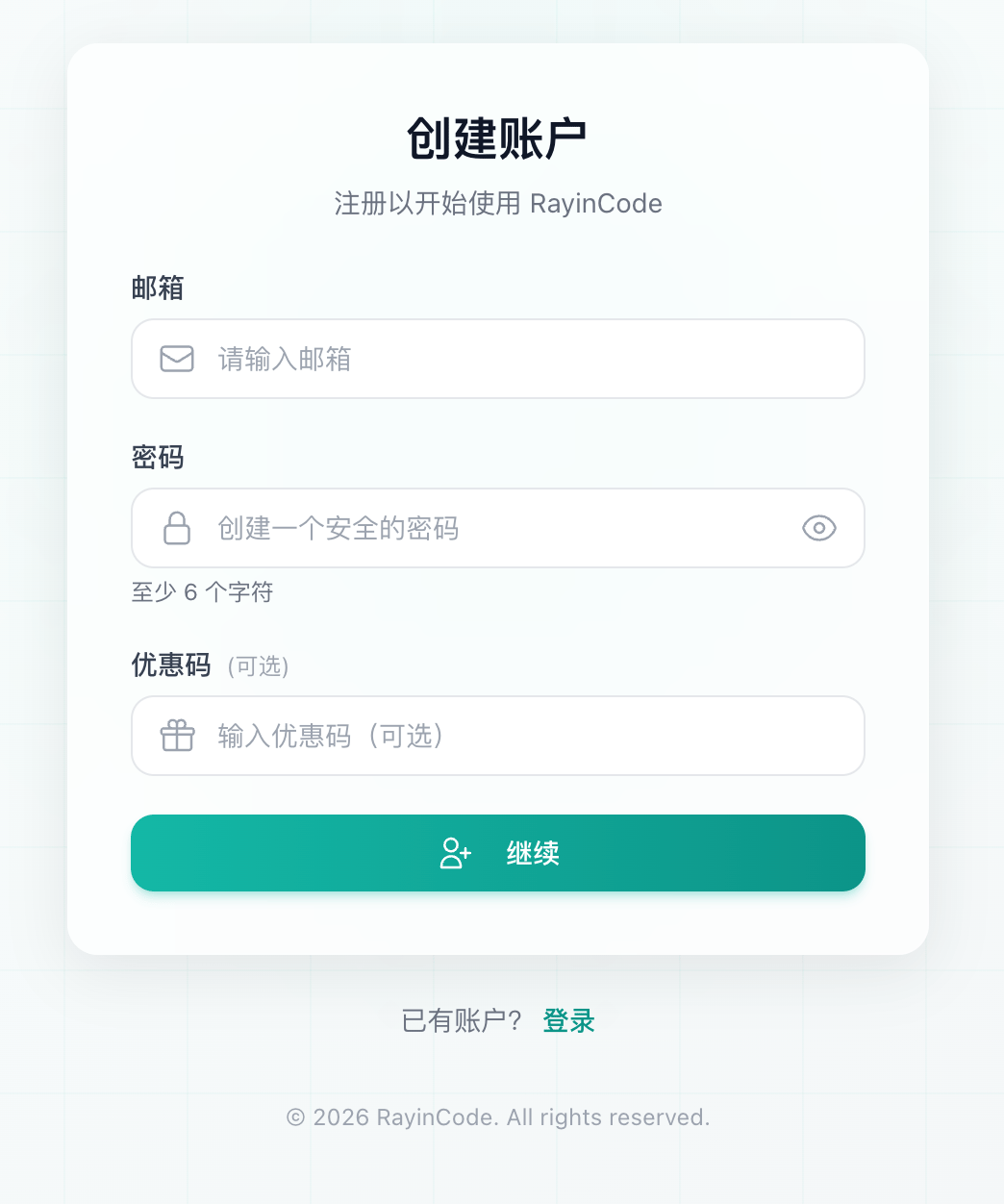
  <Step title="填写注册信息">
    填写以下必要信息

    * 邮箱
    * 密码（至少 6 个字符，建议使用强密码）
    * 优惠码（可选）

    <img src="https://mintcdn.com/zller/B4dE7O3I3qDrpqQ7/images/register-step1.png?fit=max&auto=format&n=B4dE7O3I3qDrpqQ7&q=85&s=a6a089cc24753f21fd897c9e3a9bd97c" alt="填写注册信息" style={{maxWidth: '400px'}} width="1044" height="1252" data-path="images/register-step1.png" />
  </Step>

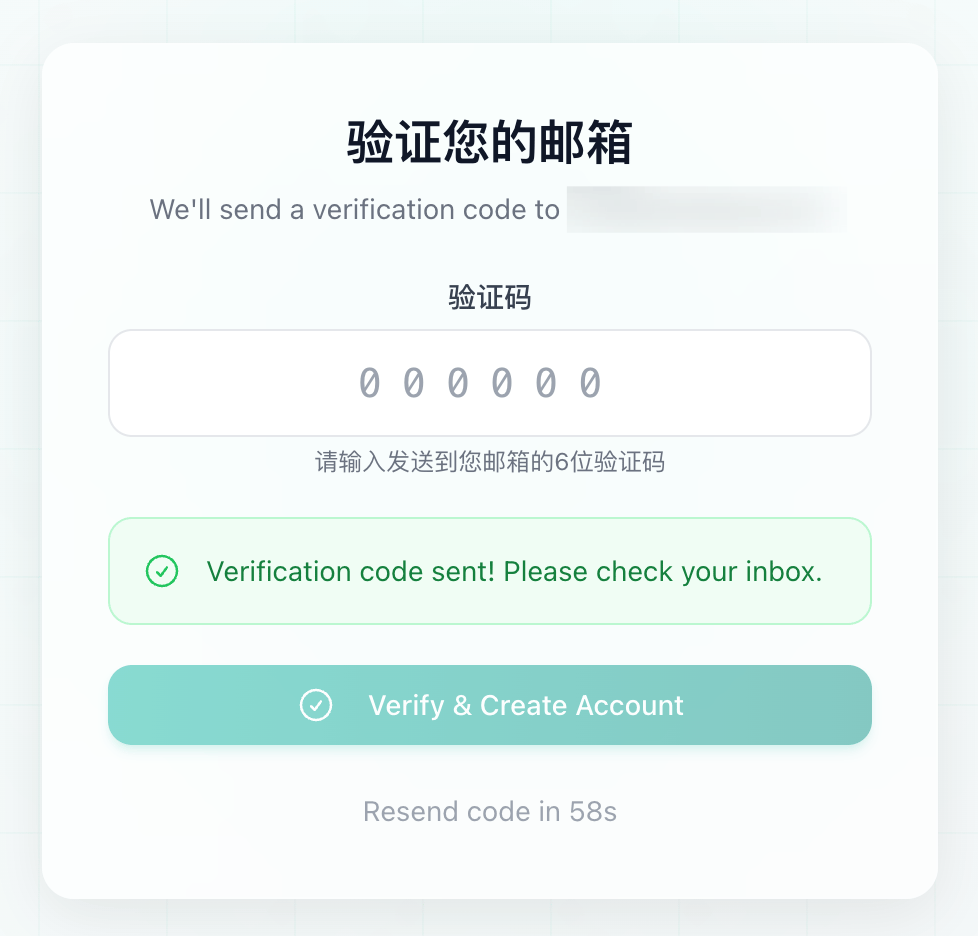
  <Step title="验证邮箱">
    系统会自动发送验证码到你的注册邮箱，输入收到的 6 位验证码

    <img src="https://mintcdn.com/zller/B4dE7O3I3qDrpqQ7/images/register-step2.png?fit=max&auto=format&n=B4dE7O3I3qDrpqQ7&q=85&s=493bb39ade8952a3f778a71d272d6193" alt="输入验证码" style={{maxWidth: '400px'}} width="978" height="936" data-path="images/register-step2.png" />

    点击「Verify & Create Account」完成注册
  </Step>

  <Step title="完成注册">
    验证成功后，即可登录使用
  </Step>
</Steps>

<Warning>
  **注意事项**

  请妥善保管你的账号密码，不要与他人分享。如果没有收到验证邮件，请检查垃圾邮件文件夹，或联系技术支持
</Warning>

## 下一步

注册完成后，你可以

<CardGroup cols={2}>
  <Card title="获取套餐" icon="credit-card" href="/quickstart/redeem">
    兑换你的套餐
  </Card>

  <Card title="创建 API Key" icon="key" href="/quickstart/api-key">
    在控制台生成 API 密钥
  </Card>
</CardGroup>